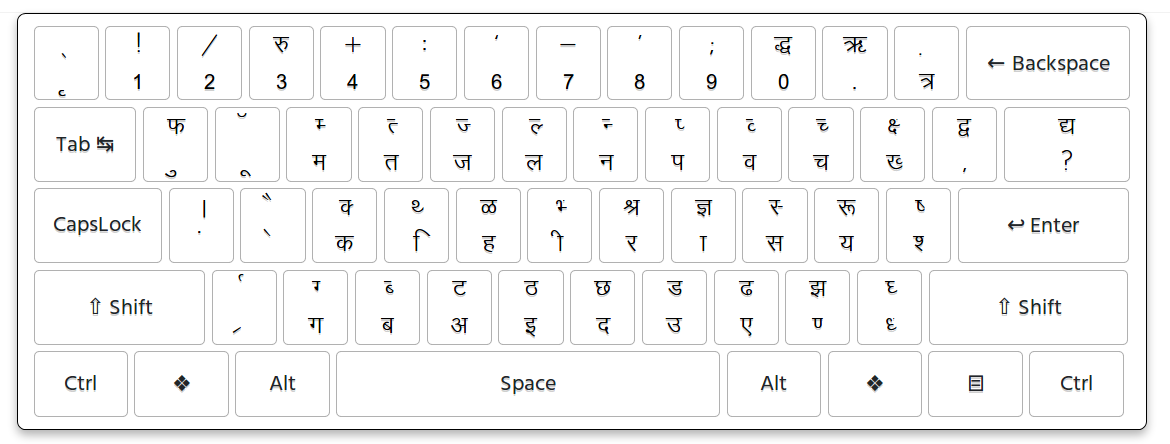
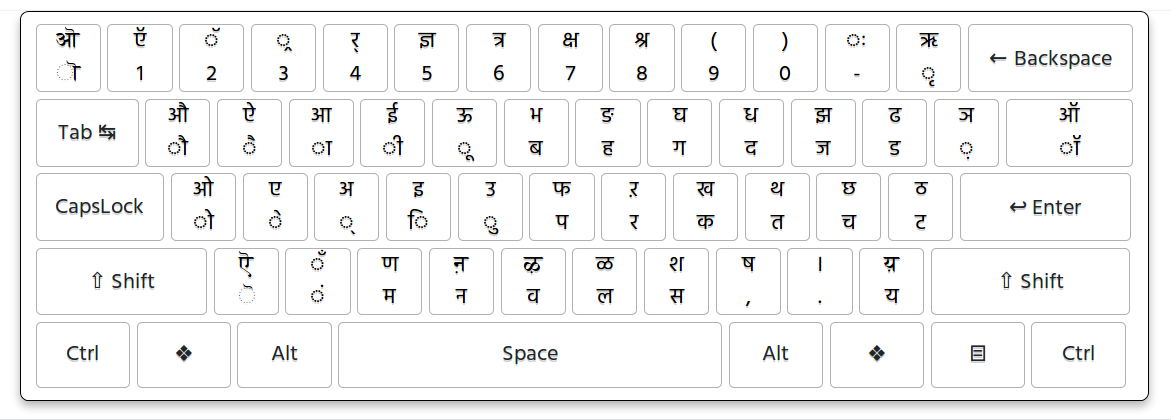
DOCX Hindi Font Converter - Krutidev to Unicode & Unicode to Krutidev
Convert Hindi text in DOCX Word files between Krutidev and Unicode formats online. This DOCX Hindi font converter supports both Krutidev to Unicode and Unicode to Krutidev conversion, allowing you to convert an existing Hindi Word document according to your requirements. You can convert Krutidev Hindi text into Unicode Hindi for use with Mangal and other Unicode-compatible fonts, or convert Unicode Hindi text, including text created with Mangal, into a Krutidev-compatible format for older Hindi typing and document workflows.
What Is a DOCX Hindi Font Converter?
A DOCX Hindi font converter is a tool that converts Hindi text inside a Microsoft Word document between different Hindi text representations. This converter supports both Krutidev and Unicode Hindi documents. Depending on your selected conversion direction, you can convert Krutidev text to Unicode or convert Unicode Hindi text to Krutidev-compatible text. This is useful when an existing Word document needs to be prepared for a different Hindi typing or document workflow.
Convert Krutidev DOCX to Unicode
If you have an old Word document containing Hindi text written using Krutidev, you can convert the document to Unicode Hindi. Unicode is widely supported by modern computers, mobile devices, websites, applications, and digital platforms. After conversion, the Hindi text can be used with Unicode-based Devanagari fonts such as Mangal and can be copied, edited, searched, and shared more easily across modern applications.
Convert Krutidev DOCX to Mangal
Mangal is a Unicode-based Devanagari font commonly used for Hindi text. When a Krutidev Word document is converted to Unicode, the resulting Hindi text can be displayed using Mangal and other Unicode-compatible Devanagari fonts. The conversion changes the underlying Hindi text representation rather than simply changing the font name.
Convert Unicode DOCX to Krutidev
If your Word document contains Unicode Hindi text, you can convert it into a Krutidev-compatible format when you need to work with an older Hindi typing or document workflow. This can be useful for office work, data entry, printing, legacy applications, and other situations where Krutidev-compatible Hindi text is required.
Convert Mangal DOCX to Krutidev
Mangal is a Unicode-based Devanagari font, so Hindi text displayed using Mangal is Unicode Hindi text. If you have a Mangal-based Word document and need Krutidev-compatible content, the Unicode Hindi text can be converted to Krutidev. Simply changing the Mangal font to a Krutidev font is not the same as converting the underlying text.
How to Convert Hindi DOCX Files
Converting a Hindi Word document is simple. First, upload your DOCX file containing Hindi text. Next, select the conversion direction you need, such as Krutidev to Unicode or Unicode to Krutidev. Start the conversion and wait for the document to be processed. Finally, download the converted Word document and review the Hindi content before using it for important work.
Krutidev to Unicode DOCX Conversion
Krutidev to Unicode DOCX conversion is useful when you have an older Hindi Word document that needs to be moved into a modern Unicode-based workflow. Converting the document can make its Hindi content easier to use in websites, online forms, modern office applications, mobile devices, and other Unicode-compatible platforms. The converted text can also be displayed using Mangal and other Unicode Devanagari fonts.
Unicode to Krutidev DOCX Conversion
Unicode to Krutidev DOCX conversion is useful when modern Hindi content needs to be prepared for a legacy Krutidev-based workflow. Instead of manually retyping a large Hindi Word document, you can convert the existing Unicode Hindi content and then use the converted document for compatible typing, office, printing, or data entry work.
Why Convert Hindi Word Documents?
Hindi documents may need to be converted when they move between older Krutidev-based workflows and modern Unicode-based applications. Krutidev is commonly associated with older Hindi typing and document workflows, while Unicode is widely supported across modern software, websites, and devices. Converting the document allows existing Hindi content to be reused without manually retyping the entire file.
Krutidev, Unicode and Mangal Explained
Krutidev and Unicode should not be treated as two ordinary font names. Krutidev is a legacy Hindi typing and font system, while Unicode is a standardized character encoding used by modern digital platforms. Mangal is a Unicode-based Devanagari font used to display Unicode Hindi text. Therefore, Krutidev to Mangal conversion generally involves converting Krutidev text to Unicode first, after which the Unicode text can be displayed using Mangal or another compatible Devanagari font.
Is Changing the Font the Same as Converting the Text?
No. Changing the font name alone does not necessarily convert Hindi text between Krutidev and Unicode. Krutidev and Unicode use different text representations. For reliable conversion, the underlying Hindi content needs to be converted according to the selected direction. This is why a dedicated Hindi text converter is useful when working with DOCX files.
Use Converted Hindi Text in Word and Other Applications
Unicode Hindi can be used across many modern applications that support Unicode text, including Microsoft Word, Excel, PowerPoint, websites, browsers, online forms, and mobile devices. Krutidev conversion can be useful when the resulting content needs to be used in an older Krutidev-compatible workflow. Always make sure the target application and required Hindi font setup support the converted content.
Who Can Use This DOCX Hindi Converter?
This converter can be useful for Hindi typists, students, teachers, government employees, office workers, data entry operators, writers, researchers, printers, and anyone who works with Hindi Word documents. It can help convert old Krutidev files to Unicode or prepare modern Unicode Hindi documents for Krutidev-based workflows.
Benefits of DOCX Hindi Text Conversion
Converting Hindi text inside a DOCX file can save time and reduce the need for manual retyping. It allows existing Hindi content to be prepared for a different typing or document environment. Depending on the selected direction, you can move older Krutidev content into a Unicode workflow or prepare Unicode Hindi content for a Krutidev-compatible workflow.
Krutidev DOCX Conversion for Government and Office Work
Hindi Word documents are often used for office records, government work, data entry, printing, and other administrative tasks. Older documents may contain Krutidev text, while newer documents are more likely to use Unicode Hindi. This converter can help when existing documents need to be converted between these formats for continued use and editing.
Tips for Accurate DOCX Hindi Conversion
Use a DOCX file containing selectable Hindi text whenever possible. After conversion, review Hindi words, matras, punctuation, numbers, headings, tables, and other important content. Documents containing unusual characters, complex formatting, or unsupported Krutidev mappings may require additional manual checking. It is also recommended to keep a copy of the original Word document before conversion.
Frequently Asked Questions About Krutidev to Unicode
1. Can I convert a DOCX file from Krutidev to Unicode?
Yes. Upload a DOCX document containing Krutidev Hindi text and select the Krutidev to Unicode conversion option to convert the Hindi content into Unicode-compatible text.
2. Can I convert a DOCX file from Unicode to Krutidev?
Yes. If your DOCX file contains Unicode Hindi text, you can select the Unicode to Krutidev option to convert the Hindi content into a Krutidev-compatible format.
3. Can I convert a Mangal DOCX file to Krutidev?
Yes. Mangal is a Unicode-based Devanagari font, so Hindi text displayed using Mangal is Unicode Hindi. You can convert that Unicode Hindi content to a Krutidev-compatible format.
4. Can I convert a Krutidev DOCX file to Mangal?
Yes. The Krutidev Hindi content can be converted to Unicode, after which it can be displayed using Mangal or another Unicode-compatible Devanagari font.
5. Do I need to manually retype my Word document?
No. The purpose of the DOCX converter is to convert the existing Hindi content so that you do not have to manually retype the entire document.
6. Is Mangal the same as Unicode?
No. Unicode is a character encoding standard, while Mangal is a Unicode-based Devanagari font used to display Hindi text.
7. Is changing Krutidev font to Mangal enough?
No. Simply changing the font does not necessarily convert the underlying Krutidev text into Unicode. The Hindi content needs to be converted before it can be correctly used as Unicode Hindi with Mangal.
8. Can I convert a large Hindi Word document?
The supported DOCX file size and document limitations depend on the converter. Large documents may take longer to process, and the converted output should be reviewed for accuracy.
9. Can I edit the converted DOCX file?
Yes. After downloading the converted document, you can open it in compatible Word-processing software and edit the Hindi content.
10. Who should use a Krutidev and Unicode DOCX converter?
It can be useful for Hindi typists, government employees, students, office workers, data entry operators, writers, and anyone who needs to convert Hindi Word documents between Krutidev and Unicode formats.
Convert DOCX Between Krutidev and Unicode Online
Convert Hindi text in Word DOCX files between Krutidev and Unicode with our online Hindi document converter. Choose the conversion direction you need to convert Krutidev Hindi text to Unicode or Unicode Hindi text to Krutidev-compatible text. Krutidev is a legacy Hindi typing and font system commonly used in older documents, government records, office work, typing, and data entry, while Unicode is the modern character encoding used across computers, mobile devices, websites, and digital applications. You can convert Krutidev text to Unicode and use the converted Hindi content with Mangal and other Unicode-compatible Devanagari fonts, or convert Unicode Hindi, including text displayed using Mangal, into a Krutidev-compatible format for older Hindi typing and document workflows. Whether you are working with an old Krutidev Word document, a modern Unicode or Mangal DOCX file, a government document, an office record, or a Hindi typing file, this converter helps you convert the content in the format you need without manually retyping the entire document.